I’ve been gaming since the early 1980s, which means I’ve personally experienced every console generation’s transition to new video technologies. The question of how to get the best picture from retro consoles on modern TVs is more complex than most people realize because the answer depends on what console you’re using, what TV you have, and what quality you’re actually achieving. RGB cables, HDMI adapters, and modern upscalers all claim to provide “the best” picture. Understanding which actually does requires understanding what each technology does and what your TV is actually displaying.
The short answer that oversimplifies is that RGB cables provide the purest picture because they send analog video directly to your TV. But that’s incomplete because not every console has RGB output, not every TV accepts analog input, and “pure” doesn’t necessarily mean “best.” Modern upscalers can actually display a better picture than RGB cables even though the picture is digitally enhanced rather than analog original.
Understanding this requires understanding what RGB is, what HDMI is, how upscaling works, and what your TV is actually capable of displaying. The technical details matter because they determine what picture quality you can actually achieve.
What RGB Actually Is
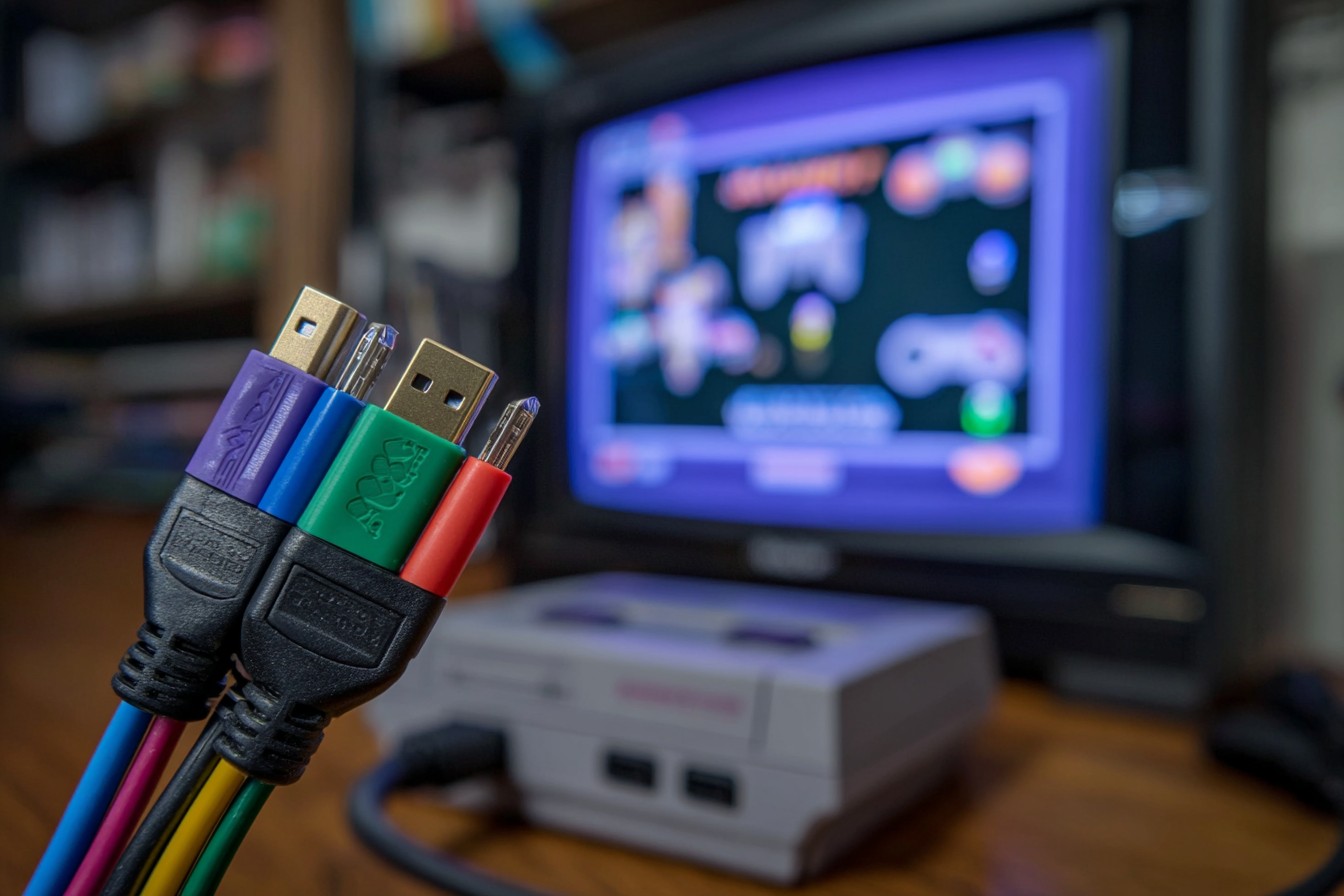
RGB stands for Red-Green-Blue. It’s an analog video signal that sends three separate color channels directly to your display. Each color channel carries the brightness information for that color. Your display combines these three signals to create the final image. RGB is the video format that arcade cabinets used. It’s what retro console developers optimized for when creating graphics.
Most retro consoles can output RGB if you use the right cables. The SNES with an RGB cable outputs pure RGB. The Genesis can output RGB with an adapter. The N64 cannot output RGB natively (it outputs composite or S-video). Understanding which consoles support RGB is the first step in getting RGB output.
The advantage of RGB is that it’s analog – there’s no digital compression or conversion. The signal goes straight from the console to the display. Theoretically, this preserves the original image quality perfectly. In practice, analog signal quality depends on cable quality, distance, and shielding. Poor quality RGB cables actually produce worse results than compressed digital signals.
The disadvantage of RGB is that modern TVs don’t accept analog video inputs. Your TV probably doesn’t have RGB input ports. You need to either find a TV with RGB input (increasingly difficult) or use an HDMI converter that accepts analog RGB input and converts it to digital HDMI output. That conversion process involves AD (analog-to-digital) conversion which theoretically introduces quality loss.
What HDMI Actually Is
HDMI stands for High-Definition Multimedia Interface. It’s a digital video signal that sends video data as digital information. Your TV accepts HDMI natively – basically every modern TV has HDMI inputs. Using HDMI with retro consoles requires either a console that outputs HDMI (most modern systems) or an adapter that converts analog console output to HDMI (which introduces conversion).
The advantage of HDMI is that it’s digital and your TV accepts it natively. You don’t need an analog-to-digital converter. The signal is already digital. Modern TVs are designed around digital signals so HDMI is what your TV expects.
The disadvantage of HDMI with retro consoles is that you need an adapter if the console doesn’t output HDMI natively. That adapter performs analog-to-digital conversion. The quality of that conversion depends on the adapter’s quality. Cheap adapters produce poor results. Expensive adapters produce better results. But you’re still converting analog to digital which some argue introduces quality loss.
The Upscaling Question
Here’s where the conversation gets interesting – modern upscalers like the Framemeister or OSSC (Open Source Scan Converter) can output to HDMI by taking the analog RGB signal, digitizing it, and upscaling it to 1080p or 4K. These devices cost $150-500 but they produce dramatically improved picture quality compared to direct RGB-to-TV connection or cheap HDMI adapters.
The upscalers use sophisticated algorithms to enhance the image. They interpolate pixels, create cleaner edges, remove artifacts. The resulting image is digitally enhanced rather than purely original, but it’s often visually superior to the original image. When you’re playing on a modern 1080p or 4K TV that was never designed to display 240p console output, upscaling often produces better results than trying to display original resolution on a display that doesn’t support it.
This creates a philosophical split in the retro gaming community. Purists argue that original resolution with RGB cables is “correct” even if it looks worse on modern displays. Pragmatists argue that upscaling produces better visuals that make retro games more enjoyable on modern hardware. Both arguments have validity – they’re just different priorities.
Console-Specific Realities
Different consoles have different capabilities. The SNES outputs RGB perfectly. An RGB cable with a SNES to modern HDMI converter produces clean digital RGB signal at the console’s original 256×224 resolution. You can display this at native resolution on a monitor designed for that (CRT monitor) or upscale it to 1080p on a modern TV.
The Genesis outputs RGB if you use the correct cables. Many Genesis consoles shipped with composite cables. Finding the proper RGB cables is necessary first. Once you have RGB output, the conversion process is the same as SNES.
The N64 doesn’t output RGB – it outputs composite or S-video. You cannot get RGB directly from N64. Your options are S-video to HDMI conversion (modest quality improvement over composite) or HDMI adapters that accept composite input (poor quality). The only way to get truly excellent N64 picture quality is using an upscaler that accepts composite input and upscales aggressively.
The original PlayStation outputs composite by default but can output RGB with RGB cables and the correct connector. Getting RGB from original PlayStation requires specific cables and the original console model (later revisions cannot output RGB). Once you have RGB, conversion is straightforward.
Practical Recommendations
If you have a CRT TV, RGB cables are genuinely the best option. You’re displaying the image at its original resolution on hardware designed for analog signals. The picture is clean and authentic. CRT TVs accept RGB input. You’re not losing anything. But finding a CRT TV is increasingly difficult.
If you have a modern TV and want the best picture quality, an upscaler is worth the investment. The Framemeister or OSSC accept analog RGB input and produce genuinely excellent HDMI output at 1080p or 4K. The upscaling process creates a clean, sharp image that’s visually superior to direct RGB display on a modern TV. The price ($150-500) is justified if you care about picture quality.
If you have a modern TV and want a budget option, a decent HDMI adapter ($30-100) produces acceptable results. It’s not as good as an upscaler but it’s dramatically better than composite. You get digital output to your TV without the expense of an upscaler. For casual play, this is sufficient.
If you don’t care about perfect picture quality, composite works fine. The picture isn’t as clean but the games are still playable and enjoyable. Composite is cheap (often included with the console) and works on every TV with composite inputs (older modern TVs).
The Technical Reality
RGB cables are “best” only if your display can properly accept analog RGB input at the console’s output resolution. Most modern TVs cannot. They accept HDMI. RGB to HDMI conversion requires AD conversion which introduces minimal quality loss if the converter is high quality. Upscaling adds enhancement that’s actually beneficial on modern displays.
The actual best picture comes from an upscaler that accepts analog console output and outputs digital signal to your TV. The upscaling process creates a cleaner, sharper image at 1080p or 4K resolution. The result is visually superior even though it’s digitally enhanced rather than purely original.
Practically, most people should use HDMI adapters or upscalers, not RGB cables. RGB cables are for purists with CRT displays or for people who understand the tradeoffs of converting analog to digital and prefer that to upscaling. For practical modern gaming, HDMI output is superior.
The Honest Assessment
RGB cables are technically the “purest” but practically the worst option if your TV is modern and digital. You’re converting analog to digital which introduces conversion artifacts. The result is often worse than a decent HDMI adapter.
HDMI adapters are the practical choice for most people. They provide acceptable picture quality without requiring expensive upscalers. The conversion from analog to digital is minimal quality loss.
Upscalers are the best choice if you want genuinely excellent picture quality. The upscaling produces visually superior results even though it’s digitally enhanced. The investment is significant but worthwhile if picture quality matters to you.
The obsession with “purity” and analog authenticity sometimes produces worse results than practical upscaling. Your goal should be the best possible picture on your actual display, not theoretical purity that your display can’t properly display anyway.
Choose based on your budget and your display. CRT TV means RGB is genuinely best. Modern TV with upscaler means upscaled HDMI is best. Modern TV without upscaler means HDMI adapter is best. Composite is acceptable if you don’t care about perfect quality.